

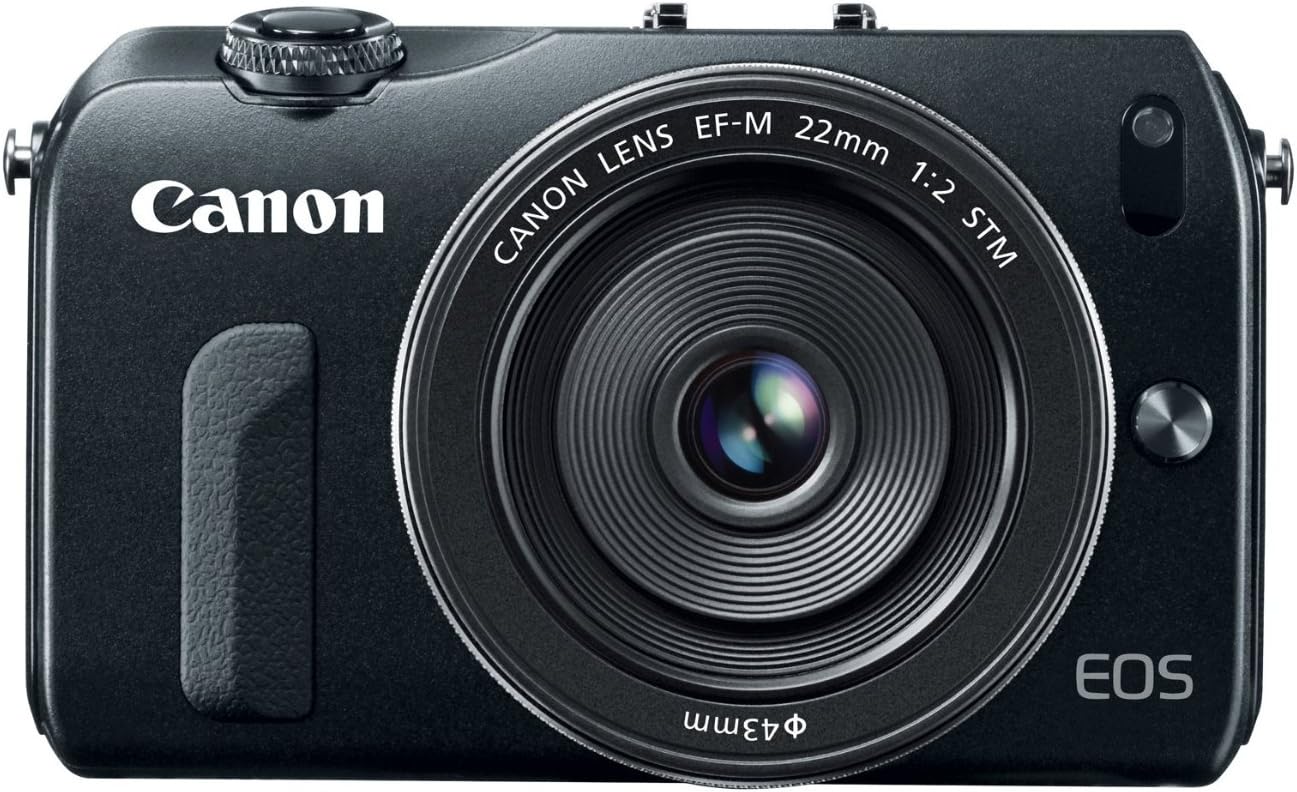
Canon EOS M 18.0 MP Compact Systems Camera with 3.0-Inch LCD and EF-M22 STM Lens Black
$366.00
Related Products


True HD Performance | EOS Full HD Movie Mode with Movie Servo AF
For those looking to capture superb quality Full HD video, the EOS M Digital Camera offers a number of advantages. Offering a large APS-C sized sensor, the camera is able to deliver shallow depth-of-field for achieving impressive cine-style results and the ability to capture clean, high-quality video, even under very low-light conditions.
With the optional Mount Adapter EF-EOS M, the camera is also compatible with Canon’s extensive family of EF lenses for boundless creativity.
Capable of shooting in a number of recording sizes and frame rates, the EOS M Digital Camera continues Canon’s tradition of performance, quality and simplicity. The EOS M Digital Camera enables easy manual control of focus and exposure. It also automatically splits files greater than 4GB (FAT specifications) for extended recording without interruption.
Movie Servo AF allows continuous autofocus tracking of moving subjects while recording video. When shooting video with one of Canon’s new STM lenses, Movie Servo AF takes advantage of the lens’ stepping motor for smooth and quiet continuous AF.
Resolution & Recording Sizes
Frame Rates
Recording Time Based on 8 GB Memory Card Full HD
1920 x 1080
16:9 format
30 fps (29.97)
Maximum Recording Time 29 min. 59 sec.
25 fps – PAL standard
Total Recording Time (approximately)
1920 x 1080 (Full HD) 22 min. 24 fps (23.976)
1280 x 720 (HD) 22 min. HD
1280 x 720
16:9 format
60 fps (59.94)
640 x 480 (SD) 1 hr. 32 min. 50 fps – PAL standard
Recording Time Based on 16 GB Memory Card
Standard Definition (SD)
640 x 480
30 fps (29.97)
Maximum Recording Time 29 min. 59 sec. 25 fps – PAL standard
Total Recording Time (approximately) 1920 x 1080 (Full HD) 44 min.
1280 x 720 (HD) 44 min.
640 x 480 (SD) 3 hr. 4 min.
Built-in stereo microphone, manual audio level adjustment
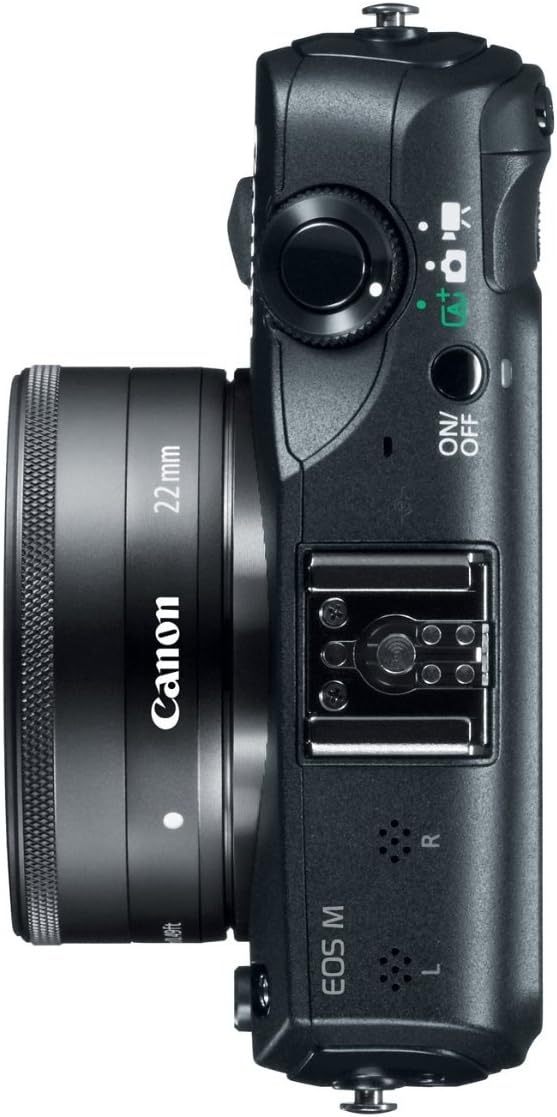
The EOS M Digital Camera has an internal stereo microphone for high-quality audio capture and a wind filter feature to reduce wind noise when shooting outdoors. Sound recording levels can be manually (up to 64 different levels) or automatically controlled. A built-in attenuator is also provided to reduce audio clipping. For more advanced audio recording, the EOS M Digital Camera is compatible with many third-party electret condenser microphones with a 3.5mm diameter plug.
Video Snapshot
With the Video Snapshot feature, the EOS M Digital Camera can capture short video clips (of 2, 4 or 8 seconds) then combine them automatically into one video file as a snapshot or highlights “album.” With no editing required after shooting, the compiled video is perfect for sharing online or displaying directly on an HDTV via the camera’s HDMI port. Additionally, stills can be recorded during video shooting simply by pressing the camera’s shutter button. During playback, video clips in an album can now be reordered or deleted.
Extraordinary Image Quality and Processing Power
18.0 Megapixel CMOS (APS-C) sensor
The EOS M Digital Camera features Canon’s amazing 18.0 Megapixel CMOS (Complementary Metal Oxide Semiconductor) sensor. Perfect for enlargements or for cropping detailed portions of the composition, the EOS M Digital Camera’s sensor captures images with exceptional clarity and tonal range. This first-class sensor features many of the same new technologies used by professional Canon cameras to maximize each pixel’s light-gathering efficiency and has center pixels that aid in the EOS M Digital Camera’s accurate AF performance. This APS-C size sensor creates an effective 1.6x field of view (compared to 35mm format).
Versatile ISO Range for shooting in a wide variety of lighting conditions
Thanks to its DIGIC 5 Image Processor, the EOS M Digital Camera features a versatile ISO range of ISO 100–6400 (expandable to 12800 in H mode) for video recording and ISO100–12800 (expandable to 25600 in H mode) for still image shooting. The EOS M Digital Camera, with the DIGIC 5 Image Processor’s remarkable noise-reduction technology, delivers outstanding performance in low light for incredible video and photos.
DIGIC 5 Image Processor
The EOS M Digital Camera features Canon’s DIGIC 5 Image Processor. The DIGIC 5 Image Processor works with the camera’s CMOS sensor to deliver images with incredible detail in more situations, without the need for artificial light sources. With the power of the DIGIC 5 Image Processor the EOS M Digital Camera can achieve higher ISO sensitivity and even perform advanced functions like HDR Backlight Control, art filters, lens correction and much more. The brilliant “brain” of the camera, this engine supercharges every facet of image capture.
Hybrid CMOS AF delivers fast autofocus speed for video and photos.
The EOS M Digital Camera uses a hybrid AF system to deliver incredibly speedy and accurate focus. Its CMOS sensor has center-mounted pixels that are used for phase-difference AF. Phase difference AF is incredibly fast for general distance determination, while contrast AF is incredibly accurate, no matter the location of the focus point. By capitalizing on the strengths of phase-difference and contrast AF systems, the EOS M Digital Camera achieves precise AF, fast.
Sharp and Clear, with Tactile Controls
Touch Screen 3.0-inch Clear View LCD monitor II with multi-touch operation and Touch AF
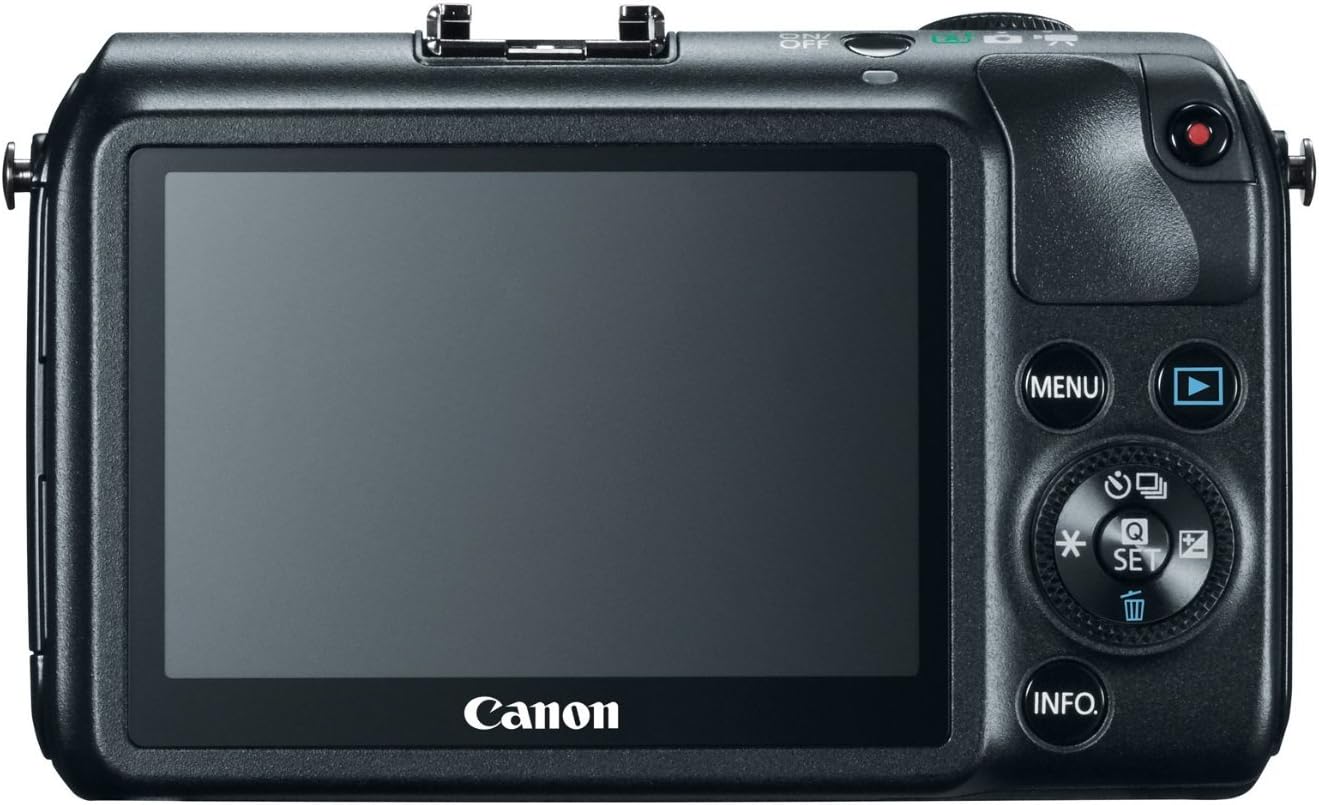
The EOS M Digital Camera comes with a newly engineered, Touch Screen 3.0-inch Clear View LCD monitor II. Using the same capacitive technology as today’s popular mobile devices, this new screen is touch-sensitive and delivers intuitive touch panel operation. Two finger touch gestures (multi-touch) can be used for zooming or changing images, menu and quick control settings can be accessed, and focus point and shutter release can be activated with the touch of a fingertip. The additional benefit of Touch AF makes it fast and easy to focus on any subject, by simply touching it on the screen. Displaying fine detail (at approximately 1.04 million pixels), this screen is perfect for composing and reviewing images. Thanks to a new, solid construction between the monitor’s resin-coated cover and the liquid crystal display, reflections are minimized, and the display can be viewed, without glare, from any number of angles. The LCD’s surface is treated with a smudge-resistant coating to minimize fingerprints and maintain a bright, clear image display.
A Comprehensive System Of EOS Optics
Compatible with the full line of Canon EF and EF-S lenses (optional Mount Adapter EF-EOS M is required)
The EOS M Digital Camera features a new style lens mount, called EF-M. Besides the dedicated EF-M lenses, the camera is compatible with the entire family of Canon EF and EF-S lenses by attaching the optional Mount Adapter EF-EOS M. When the adapter is used, the image quality of the lens is preserved, with no light loss or change to image stabilization.
From fisheye to telephoto and everywhere in between, Canon offers the most comprehensive lens collection on the planet, with the finest optics and most advanced technologies for whatever application is at hand.
When shooting video with one of Canon’s new STM lenses, the camera’s Movie Servo AF feature takes advantage of the lens’ stepping motor for smooth and quiet continuous AF.
Effects for Dramatic and Gorgeous Results
Handheld Night Scene mode
Accessible right on the EOS M Digital Camera’s Mode Dial, Handheld Night Scene mode captures nightscapes with bright highlights and detailed dark areas, delivering results previously impossible without the use of a tripod. By shooting and combining four consecutive shots at a shutter speed fast enough to avoid camera shake, the EOS M Digital Camera’s Handheld Night Scene mode makes dramatic nighttime photography simple.
HDR Backlight Control mode
The EOS M Digital Camera’s HDR Backlight Control mode ensures that backlit subjects are not recorded too dark. By shooting three consecutive shots at different exposures (underexposed, correctly exposed and overexposed) and then combining the images, the final result maintains detail in both the shadow and highlight areas, ensuring the backlit subject is properly exposed.
Seven Creative Filters, plus new Art Bold Effect and Water Painting Effect
Adding to the fun and creative possibilities available with the EOS M Digital Camera are seven different creative filters that can dramatically alter the mood and visual effect of any particular scene. Creative Filters include Grainy Black and White, Soft Focus, Fish-eye Effect, Toy Camera Effect, Miniature Effect and new filters: Art Bold Effect (makes the photos look like an oil painting, with subjects appearing three-dimensional), and Water Painting Effect (photos are altered to look like a water-colored painting). Since the filters can be applied to the image after shooting, it’s easy to try several effects on the same shot. These creative effects can also be applied to video, for additional imaginative fun.
Multi Shot Noise Reduction
To enhance its already admirable high ISO shooting capabilities, the EOS M Digital Camera features an intelligent Multi Shot Noise Reduction tool that reduces noise even further than the camera’s sensor and the DIGIC 5 Image Processor alone. With Multi Shot Noise Reduction activated, the camera takes four consecutive shots, merges and aligns them. This eliminates more noise than the traditional Noise Reduction filter, with little or no apparent resolution loss. Moving subjects are even optimized to minimize subject blur! Thanks to this clever new feature, high ISO shooting has never looked better.
EOS M Digital Camera Body
EF-M 22mm f/2 STM Lens
Neck Strap EM-100DB
Battery Pack LP-E12
Battery Charger LC-E12
USB Interface Cable IFC-130U
EOS Digital Solution Disk, Camera Instruction Manual and Software Instruction Manual CD
18.0 Megapixel CMOS (APS-C) sensor, DIGIC 5 Image Processor, ISO 100–12800; expandable to 25600 (H)
Hybrid CMOS AF and Multi Shot Noise Reduction
EOS Full HD Movie mode with Movie Servo AF for continuous focus tracking of moving subjects
Compatible with Canon EF and EF-S lenses (Optional EF Lens Adapter is required)
Compatibility with SD/SDHC/SDXC memory cards, including new Ultra High Speed (UHS-I) cards
7 reviews for Canon EOS M 18.0 MP Compact Systems Camera with 3.0-Inch LCD and EF-M22 STM Lens Black
Add a review

$366.00
Hawkeye –
Unexpectedly, very good performance and utility, right out of the box…
Updated: October 2nd, 2013Adventures with the Canon EOS M continued… a field trip and more studio familiarization.The ‘bottom line up front’: Canon’s EOS M is a new SLR form factor camera with excellent value at recent discounts to MSRP. EOS M provides powerful capabilities (taken from Rebel T4i and 7D product lines) in a small, mirror-less “SLR” camera body, one that practically fits into the palm of your hand. It does so with simplicity, price, and performance. If you are an advanced Canon user, EOS M will be familiar. It gives you 18M pixel sensor, a fast on board processor, and a decent-sized, richly detailed rear display. All of this combines to quite a lot to be able to take almost anywhere (especially when it’d be inconvenient to take along anything larger and heavier).What’s all the fuss about? Basically, size. This is the smallest SLR I have ever worked with. What is most impressive about it? Size. Once I became accustomed to it’s basic differences (viewing “through” the rear display instead of a viewfinder, using the rear display as a touch screen to access the familiar Canon menus to control exposure settings and modes) I began to appreciate it much more. What you will have in your hands is a very sophisticated and powerful SLR.What are the drawbacks? A few. Essentially, experienced Canon SLR users will have to adapt themselves to the new form factor. That doesn’t take much effort. It does not have the most powerful autofocus system, but it is adequate. Viewing “through” the rear display takes some time to get comfortable with. The ‘soft controls’ were easy enough to master. Oh, and it does not have a built-in flash. This last was noticed by me, but my XT didn’t have one either. And during my field trip, I didn’t miss it. I could have used a speed-lite, but chose not to bring one along. EOS M was able to handle most everything I did, indoors and out, without one.On the plus side… EOS is great for video! I did my best in the early SLR video days to avoid it, but EOS is probably going to be the turning point for many on SLR video. It takes great HD video as it does great stills.My latest impressions were gained over the course of several separate studio sessions and a four day field trip for urban hiking and architectural appreciation. EOS M was great to have handy and was never a burden to carry.So, what’s it like? First impressions with EOS M were ‘this is different’. I felt some excitement. It is easy to take along. It has great still and video image quality. The quick videos taken in an urban setting, day and night, indoors and out, were very good. Overall, you have quite a powerful, small camera in your hands.About those complaints…if you are looking for feedback on EOS M, you are going to find it pretty quickly. Lots of reviews out there. Unfortunately, few of those reviews were made with anything more than a cursory look, probably an hour or more, at best. I noted, though, that some real photographers were giving it a thumbs up. I’d read many bad reviews pertaining to autofocus, lack of viewfinder, no controls, or on-board flash. But none of these proved (at least to me) to be real issues. My findings are that most reviewers were probably “too persnickety” with this mirror less camera. Their complaints convey to me a misunderstanding of the EOS M’s capabilities and limitations as a system. Perfection usually comes with a price. EOS M is neither pricey nor filled to the brim with perfection.Back in the studio… many wonderful photographs are made with natural and abundant ambient window light. If you can find it, and know how to use it, your photos will be standouts. Sometimes, though, you need to manufacture wonderful light. And for many photographers that means using studio lighting. I wondered if I could use EOS M with my studio strobes and almost immediately discovered that EOS M had the same manual exposure mode as my larger Canons and with the hot shoe, I could mount and use my Pocket Wizards. And in a moment, I was in business! Whether shooting a miniature doll or photographing a flat highly detailed document, the strobes give you the wonderful light needed to make great photographs. And EOS M (with Canon’s EF/EF-S lens adapter) let me use any Canon lens I needed. On a tripod, I got “peer quality results” (meaning almost the same as my larger, APS-H and full frame Canons). Being able to use any EF/EF-S lens gave me room to explore using macro lenses, wide open glass (F1.4) and more. Better glass meant larger and heavier, but also improved results. I wouldn’t say it would replace my other SLRs, but I could use it in the studio if and when I wanted to. I think it offers great flexibility and opportunity.In sum, give the EOS M it’s due. I was well satisfied with my experience. Take a look. If you’re new to Canon, take a look, too. This is all about opportunity to explore!Uodated 8-13-2013. I purchased this EOS M camera mostly out of curiosity and the recent price roll back created a window of opportunity. In spite of very mixed reviews, I still felt that there was a pony to be had in this new form factor from Canon given its heritage and use of existing technology from the latest Rebel.* Right out of the box: Simplicity. After some quick try outs, I was warmed over. The familiar control of functions are there, under ‘the skin’ just waiting to be used. No worries.* I was very interested to see results with EF and EF-S lenses. I mated the lens adapter, purchased separately, to the Canon 70-300mm L. The combination is a ‘monster’ and you feel like you are using a lens to photograph with. The EOS M is that tiny. I experienced only some sluggishness with focusing, but nothing out of the ordinary. My quick test was simply shooting through the window, screen and two panes of glass. The results at 100 to 300 mm were as expected, lens IS covered some of the shake at 300mm (without tripod). A photo at 300mm produced a fair quality scene.* Turning back indoors, it was time for some testing with both a paper document to sim the ‘lab test’ and some small figures to check depth of field and background blur. I used a 600ws studio strobe (at about 1/8 power) and a 48 inch deep octabox soft box for some fill light. The EOS M manual mode was easy enough to find with the instruction booklet within a minute. At F11 and 1/125th second, a Pocket Wizard handling the relay duties, and a tripod, the scene was ready to shoot. Setup no harder than for any other camera/lens combination. I mated the EOS M, Canon M to EF/EF-S adapter, and EF-S 60mm macro. A nice combination. Very small. The results were stunning. Framing and focusing were much different without a viewfinder, but not too bad to adapt to. At F11, there was no visual image in live view until the shutter button was depressed halfway. A brief frame was visible for a couple of seconds, enough to ensure focus and frame. A few quick shots let me fine tune the composition. The out of camera jpeg results were very good to great. The absolute range of detail using a multicolored, fine lined document for the test was unexpectedly superb; great color and image quality. I have no scale for these results, but if I’m smiling at the results on screen, I usually consider it a winner. The results with the EF 50mm F1.4 were also stunning at F1.4. looking down at a candle in glass holder, about two inches tall, on a mat, the upper most lip of the glass holder is in sharp focus while the remainder and the mat underneath dissolve into a very smooth out of focus background. These were very quick tests and the results were terrific. The use of EF lens and adapter seems to be a good combination although there was some ‘hunting’ going on. Using the Sigma 28-300mm DG F3.5-6.3 macro (EF mount) caused lots of hunting in continuos autofocus (the default mode for EOS-M). This was to cause very excessive battery drain over the two day trials. It sounded a lot like C3PO in the movie Star Wars! The solution was to disable continuous autofocus. Results were much longer battery life. Cautionary tale here is to use better glass if you are going to adapt EF lenses and the faster the better. I achieved much better results with the Canon EF-S 17-85mm F4-5.6 lens, especially with video.* The BIG PICTURE: As for now, the basis for great imaging are there. As a photographer, my main job is to unleash them. This camera will aid the inexperienced in making very good photographs and excellent video. And if you want to learn, this could be an excellent tool in learning the advanced program and manual modes. The market seems to swamped with camera gadgets. But Nothing is going to create great photographs at every turn without some effort from the photographer. Photography is still about capturing light! And you still have to be in the ‘light place at the light time’. That said, I notice some extraordinary capabilities in this tiny package, something I am willing to work at in order to improve myself and to learn how unlock ‘stunning results.’ I was quite satisfied with this purchase. My last Rebel was an XT, a few years back which, while not great, enabled me to learn quite a bit about digital photography. The EOS M has ten more megapixels and a greatly improved imaging processor to work with. It has scads more low light sensitivity. Overall, it has about 25 percent more resolution, giving it significantly higher image quality. It is fast, lightweight, handy and has a superb back screen for viewing. Colors and image quality are immediately confirmed. Video has been terrific. Nice HD quality. Whether using the 18-55mm kit lens or the EF-S 17-85mm with adapter, the focusing and zoom were totally silent. Low light performance was very good. Using the EF-135mm F2 L and adapter, I grabbed some very dreamy natural light images indoors at evening with direct sunlight coming through some of the windows. The low lit walls and shadows were well captured. At F2, lots of nice out of focus backgrounds.* PERFORMANCE: The familiar “green box” mode automation is extensive. It is basically a one button operation. All or most decisions made by the camera. Video with kit lens was excellent; autofocus using stepping motor with the kit lens and the EF-S 17-85mm USM silent. Great sound capture. I will be upgrading the focus firmware next. If that improves auto focus, then this camera will evolve dramatically. Right now, I am still aquatinting myself with new ‘live view’ style shooting method using the back screen rather than a view finder. Focus hunting is something I am more curious about than frustrated with, as I have observed this all before many times with other camera and lens combinations. Auto focus is usually a given, but does fail under some conditions and settings. Again, use best quality lenses to minimize problems. If using other lenses like the older Sigma 28-300mm DG (without IS) expect to invest time and effort.* FORM FACTOR: This is an exceptionally small and easy to carry package. It was easy to use and carry at the zoo during a two hour visit. Video was superb. It easily captured the excitement of our train ride, complete with all of the steam action and whistle sounds. External controls are primarily ‘one button.’ If you need more control, the ability to learn the functions of this camera is enhanced if you have been a Canon user already. The touch screen lets you access them more easily than expected. You are able to see and set controls with a software enabled slide. Control conventions are common across Canon product lines. There is an inherent advantage in using small, compact equipment.* CONCLUSION: Small, simple to use camera for travel or everyday use. EOS M will not replace the big camera bodies, but may be a terrific proxy for them when it is impracticable to carry them about. Landscape and dramatic scene photography should be achievable. Action subjects may pose some steep challenges. An all around snapshot camera, with the 18-55mm kit lens. The Video performance was very good. If you are an advanced photographer, with a full kit of EF and EF-S lenses, than this camera is like a miniature, late model Rebel. It has very good still and video capabilities and is ready to travel or assist in the studio. This product deserves more attention.
josh –
Great for photos, one of the best for video
EDIT: An announcement was made that firmware will be released at the end of june that will greatly speed up the AF performance. so… END EDITThis camera is fantastic, I have had it for awhile now and it pleases me more every time I use it.First, build quality: the build on this camera is easily up to the par of the xxD line of prosumer cameras.. well at least from the 50D back, as the camera is built with magnesium alloy on the whole body and an aluminum cased lens. Short of the weather sealing it is built like the tanks of the eos line.Ergonomics: Now, I’m not a clumsy person, I don’t go around throwing my cameras all over. even so the M (black version) is really a pleasure to hold and I don’t find myself fighting for grip with it. I can’t use the rebel line of cameras, they just don’t fit me, in fact I am not partial to using the smaller of the xxD line (20,30,40,60D) without a vertical grip. The eos M is a great fit, perhaps it’s the size to weight ratio, but it just feels right in my hands. Just in case I do use a wrist strap, I made one by taking one of the neck strap quick connects off and attaching a regular wrist strap (for a nikon 1) through it just as if it were a normal eyelet.Menus: I didn’t think i would like the lack of buttons and touchscreen, however I now find them extremely intuitive, one handed operation on the rear is extremely easy. the jog wheel on the rear can control almost all the functions i would need (shutter speed, aperture, exposure comp, etc) one of my favorite things is that the settings stay with the mode I am in, for instance if I have the mode set for A and have it set for multi shot and the focus set to flexizone multi and autofocus, I can switch quickly (using the top dial) to manual and have it set for single point and AF+MF. Most of the parameters and menu features stay with the modes as well, great for switching quickly between two completely different shooting styles. the touch screen is great as well, i can scroll through things with the right dial and then immediately select something to change or a menu by touching, the touch to focus and shoot has been fantastic for tripod shots.Focus: yes, this has been a very outspoken item whenever the M is even mentioned, so much so that the rest of the camera is ignored. is it slow at times, yes, would I pan with a subject and shoot frame after frame all the way down the pitch at a soccer match, probably not. it also isn’t great for just run and gun style photography. but most would have a higher end SLR if they really plan on this style of photography. honestly, whenever I think it might be too slow, I prefocus or simply use manual focus. I know this might sound like a pain, but a good photographer will get very good at this. I do this even with my SLR, why? well.. as smart as the AF systems are, they don’t always put just what I want in focus, so by the time I pressed to select the focus point and framed, then focused, I usually could have done it faster on the M’s fantastically clear screen. don’t want the “hassel”? don’t even think about buying a leica….. I shot a street festival recently and used manual focus for quite a bit of the action, maybe one out of 50 or so shots wasn’t quite the right focus, and that was at f4 at 200mm. that said I love using the AF+MF mode, I can quickly let the camera get close and then narrow right in without any hunt. Low light with no AF assist? you shouldn’t be using auto… that’s all I’m really going to say about it, it works fine for my style.EDIT: forgot to say how to increase the AF speed for those that aren’t too familiar with AF systems, on the M change the AF type to flexizone- single and under the second menu, disable continuous AF. The single point AF is much faster and more accurate because it is more direct, no multi-step, complex algorithm, face detection etc. turning off the continuous AF keeps the camera from hunting and also saves battery life as the camera isn’t constantly trying to adjust focus when you are just holding the camera. with these settings the AF is great for this type of camera and should be fantastic once the faster firmware is released. :END EDITImage quality: this is one of the places this camera really starts to shine, with the digic 5 processor and aps-c sensor this camera is up there with the best prosumer cameras outside of full frame. the low light quality is fantastic and even large prints are just wonderful to see. right out of the box with the 22mm the image quality is better than any fixed lens camera i have ever seen, and yet I can take it everywhere with me just like a point and shoot. I use the lowepro dashpoint 20 case and it fits the camera with 22mm lens and wrist strap into something i can even run with, its great wearing everyday on a belt or slipping into a bag, try that with any size SLR ;)now the real treat comes when using the adapter and L lenses. the picture quality is outstanding, and it recognizes the lens I am using and can automatically ( and quite nicely ) correct the known distortions and vignetting for that lens at the given aperture and focal length.Big lens ergonomics: on my SLRs I have to have a vertical grip, especially when shooting with a 70-200Lnow with this camera and that lens, its more like the camera is attached to the back of the lens and not the other way around. given this, you are really holding the lens and not the camera, as such its actually more comfortable for me than with the tiny lens, I can hold with my left hand and adjust things by touching the screen or using the dial with my right.did I mention the image quality? yea, well its that good. I actually prefer it to the 60D, the build quality is better, the functions are easier to use, and the processor is better, what does that mean? it introduces us to the next point.Video: where have you been all my life? The M is not actually that much bigger than a gopro and yet the video is up there with the best DSLRs, the brilliant thing is that I can shoot full manual and have the pro quality look of low shutter speed (no rolling shutter) and variable DOF.. the fantastic thing is that with just a small RAM mount I can produce in-car and on-car footage that is above and beyond an action cam and rock solid, this camera is even unobtrusive suction cupped to my windshield. The digic 5 processor works wonders in this cam and the screen is a joy to film with. the M has a stereo 3.5mm mic input and manual volume adjustment. whats more, it doesn’t overheat like some of the even more expensive cams like some of the 7Ds, it shoots continually for 29min 59sec though the file is broken apart into 12min segments on the card. I use 16 and 32gig sandisk extreme SDHC cards and at full resolution I got the full length of video 100% error free..using this camera to shoot video with L lenses is a joy, the video is pristine and as you use manual focus in video anyway, the big slr is actually at a disadvantage here, I can fly this camera, steady cam it, suction cup it, etc. far easier than many of the larger SLRs and yet the video outshines more than its fair share, with audio features not even found on some of the go-to cameras in the market.What can I say, I’m thoroughly impressed.. and it more than easily fits in my carry on…….
Amazon Customer –
Good one for photography.But not good grip. I am not camera expert but need to learn more with character focusing in video,because I brought it only for videos.After One year [I did not much used it due to some reasons] .I found dead pixel issue & getting one little red dot in each pic & video. Looking for solution
Jorge –
The camera is very good, only it does not bring its box and the menu comes in Japanese but you can change it to English, very good product I recommend it.
Rajkumar Vemula –
Nice
max douglas –
I quite love mine.
tech guy –
great camera – dslr quality – but no viewfinder makes it very lame to try and use properly — be prepared for professional build quality with cheapo camera usability – when trying to photograph a specific small subject the focus square will not go small enough so you might have the wrong thing in focus — the touch screen is great — the 22mm f/2 lens is wonderful