

Cudy AX3000 Wi-Fi 6 2.5G Mesh System, Covers up to 4800 Sq.Ft, Replaces Wireless Router and Extender, Supports Ethernet Backhaul, Ideal for 2.5G Network, M3000 2-Pack
$21.99
Related Products







Product description


 No-Buffer 4K Streaming. Responsive FPS Gaming.
Enjoy super-responsive gaming and video playback with the top-notch 160 MHz bandwidth and high RAM.
 Families, Friends, IoT, All Onboard.
Powerful CPU, DL/UL OFDMA, and MU-MIMO reduce latency while connecting hundreds of devices.
1 Fast and Responsive
2 Connect 256 Devices


Pro Machine with Pro Features  Control Online Time & Content
Regulate your kids’ online activities by setting an online time duration for their devices and banning inappropriate web domains.
 Secure Personal Network
WPA3 protects your wireless from brute-force attacks. Guest Network separates your own devices and guests’ devices to improve security.
 VPN Server and Client
Six built-in protocols provide compatibility with 50+ commercial VPN providers and enable you to host your own VPN server.
 Know Your Network
The system panel provides intuitive information for you to know network status. Built-in diag-tool helps locate problems and troubleshooting easier.
Wi-Fi 6 Mesh Wi-Fi: New-gen Wi-Fi 6 AX3000 whole home mesh system to eliminate weak Wi-Fi for better dual band signal up to 3000Mbps.
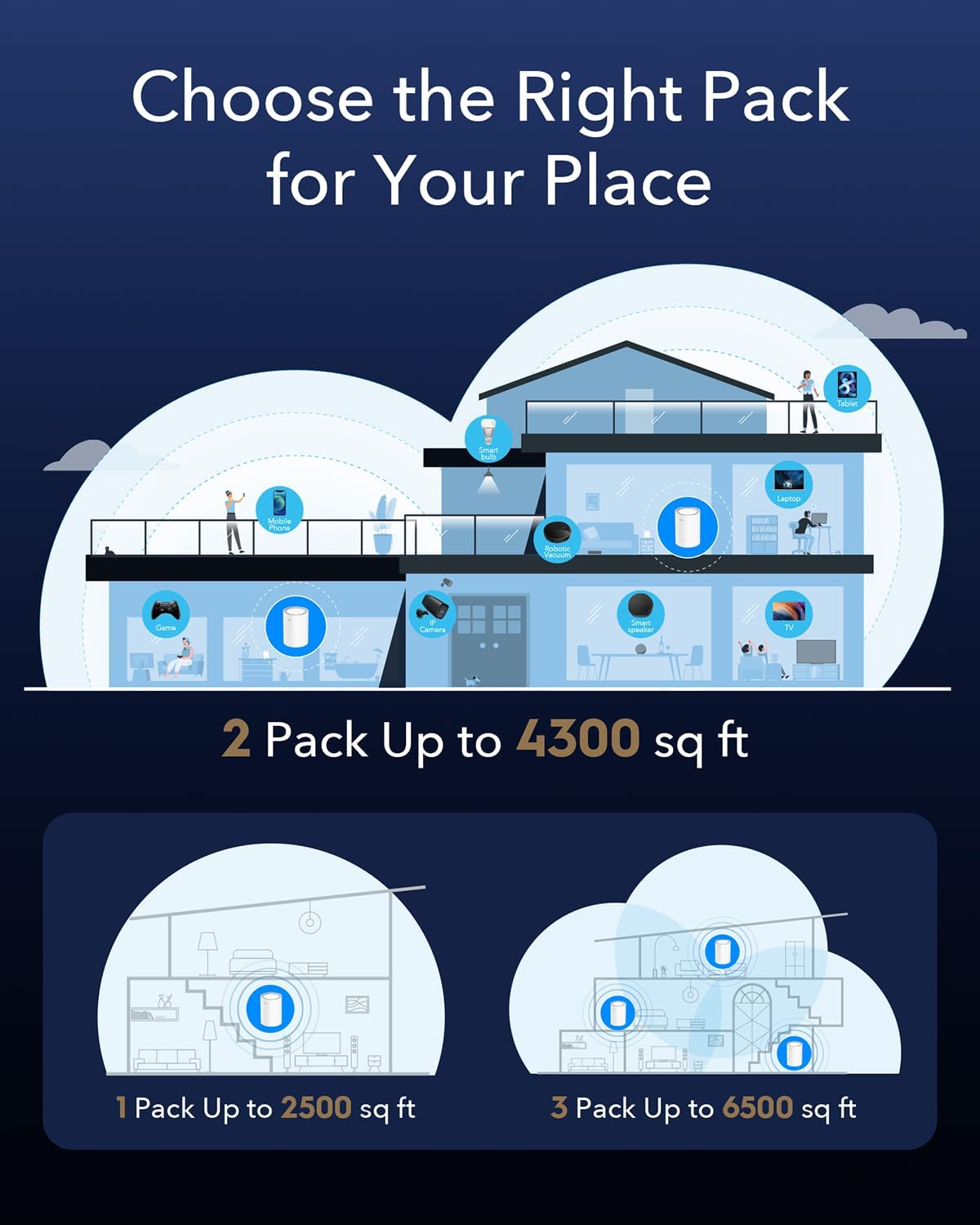
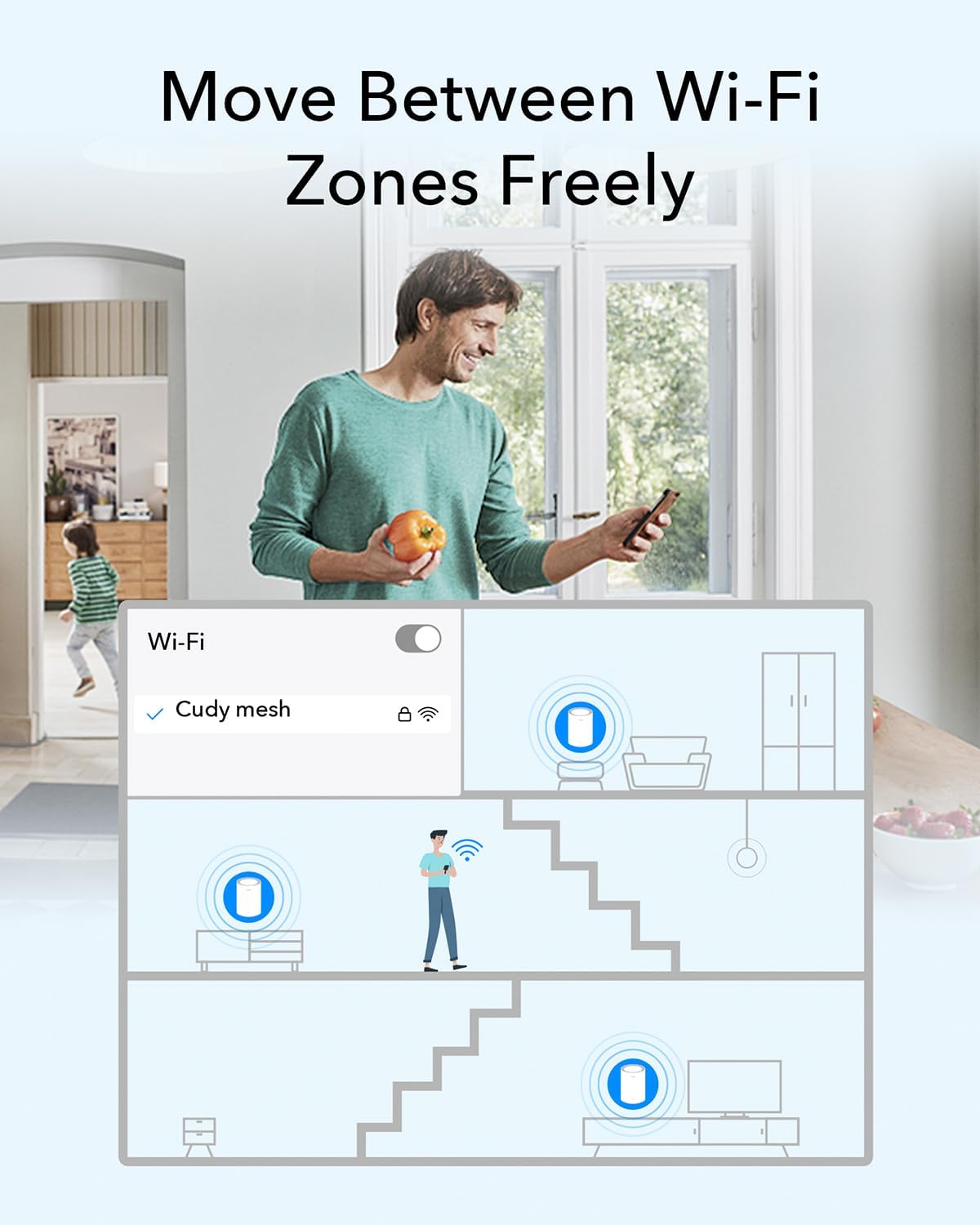
Whole Home WiFi Coverage – Covers up to 4800 sq.ft with seamless high-performance Wi-Fi 6 and kill dead zones and buffering. Better than WiFi booster and repeater.
Multi-Gigabit Port: Each M3000 has a 2.5G WAN(2 in total for a 2-pack) and supports Wired Ethernet Backhaul for better speeds. Any of them can work as a Wi-Fi Router.
Easy Setup and Management – Cudy App ensure you set up your network in minutes with clear guidance and keeps you always in control even when you are not home.
Designed for More Devices: Designed for connecting 200+ devices, everyone is able to enjoy a more efficient network that loads faster without dragging down performance.
9 reviews for Cudy AX3000 Wi-Fi 6 2.5G Mesh System, Covers up to 4800 Sq.Ft, Replaces Wireless Router and Extender, Supports Ethernet Backhaul, Ideal for 2.5G Network, M3000 2-Pack
Add a review

$21.99
T. heath –
Surprised how good these are actually! Stable throughput, excellent coverage.
I was actually kinda shocked at how good these are actually! Haven’t been running them for too long but so far I’m really like them, especially at an amazing deal!First off the spec sheet on these alone are shocking at this price point. WiFi 6, AX standard, 3000mbps speeds, 2.5gb ports on each unit, and mesh?!? Come on wild at this price point! Because of that I expected the software to be awful of the performance to be just sub par, but it was not any of those things, blown away!The software: First off set-up was a breeze, probably the fastest setup of any network gateway I have ever messed with, and I work in IT for a living so that’s a lot of units! Connecting the first unit and setting it in router mode took no time, including setting up my SSIDs for 2.4 and 5ghz bands, passwords, encryption types tool secs, save. Adding the secondary unit I expected to add on the time I saved however, I plugged it in, and it maybe took about 1min of flashing multiple colors pattern then connected on its own actually! Didn’t have to add any config, go through any process of adding, nadda it found the unit added,meshed it using my created said and pw. I will add that I do use the app, which was pretty nice, easy smooth, intuitive, and pretty feature rich surpriseingly. Was shocked by the amount of advanced settings the software gave access to, it is still a bit lighter, but not totally void of like other home brands I have tried. I will also say I did have a hiccup with the second mesh unit once in a setting change and reboot where it took a bit longer to find and connect, but it did get itself on there and work great once it did.So far been a few days running and there isn’t ANY! Low spots in the house anymore, wieroess conectivity is super solid.Every part of the house is getting my solid full throughput with very little fluctuations.Overall I’m actually really happy with this set, it’s solid, great throughout, great distance per unit before you even see a single bar drop, and the software was easy, and allowed decent configuration. It’s awesome at this price point for these specs completely unheard of. Time will tell if it will hold up that will be the final call on it but again with the cost, if it’s a couple years only would still be very worth it. I’d definitely be interested in checking out more of Cudy’s network equipment now that they are on my radar for low cost high spec network equipment.
Anthony Tintera –
Nice improvement for large home WIFI access
I got this because my current Wi-Fi router isn’t providing the best signal for further distances in the house. And 5G signals were struggling. I hooked up both units in the house (which is 2700 sq ft) in different parts of the house and it made a big difference in signal quality. The second one I placed in the living room made a huge difference in the ability to use 5G. All I had to do was plug it in, and it automatically found and connected the mesh network. Really cool. I found the connections were reliable, with no dropouts or oddities in connections. Setup was very easy, and the quick setup directions were accurate.I’m now a fan of mesh networks, now that I understand how easy they are to create and use in practice.I do miss the USB port which I used on my old router to share a HD as a NAS drive for media. So, I’m still using my old router just to provide a NAS network, off the network provided by the CUDY mesh network. Just plug your old router into the device as a local network (to CUDY) and connect to WAN for the router. Then the old router will have full network connectivity and will make the connected USB drive available on the CUDA network (in addition to providing additional Wi-Fi networks if enabled).For $100, this is a good price and value
Lei Zhang –
Excellent Mesh Wi-Fi Upgrade
This Cudy AX3000 Wi-Fi 6 Mesh system is surprisingly good! My house has two floors plus a garage, totaling about 4000 square feet, and the two routers easily cover the entire area, eliminating any dead zones. Installation was incredibly simple; the mobile app took only a few minutes, with a clear and intuitive interface. The signal strength is significantly improved compared to my old Netgear router, with excellent wall penetration; even in corners downstairs or outside the driveway, the Wi-Fi signal remains full. The speed is also very stable, approaching 900Mbps in speed tests, making browsing the internet, watching 4K videos, and playing games smooth and lag-free. The support for a 2.5G port is particularly useful; if you have a fiber optic network, you can fully utilize its speed. Mesh switching is also very smooth; there’s no noticeable disconnection when moving from the first floor to the second. Compatibility is excellent; it can connect dozens of devices simultaneously, including smart lights, cameras, tablets, and phones, all with stable connections. The design is sleek and modern; the white cylindrical shape has a high-tech feel and doesn’t take up much space. Overall, the Cudy M3000 is a high-performance Wi-Fi 6 Mesh system with strong signal coverage, fast speed, and easy setup, making it highly recommended for home or office use.
Chris Brundige –
Great for large homes with multiple walls
This was quick and easy to set up to my internet. The connectivity rates are ideal, slightly slower ping than the OEM one my internet company provided, but overall its great! Functions great, covers my entire home with the two routers alone, I’m impressed the strength these put out and without causing connectivity issues through multiple walls!
Nick –
I’ve had these in place for a couple of weeks. They’ve been reliable particularly with 802.11ax clients. The quick install guide is brief and fairly well written. I plugged the WAN port into another router, it soon obtained a WAN IP from a DHCP server in my setup. There is a single port for connecting another device, which could always be a hub or switch.At the first step of setup, not explained is the difference between Mesh Wi-Fi Router and Mesh Access Point. The first is the default, which will create a 192.168.10/24 subnet with the router at 192.168.10.1. Going to that address or cudy dot net will present the control panel, which is well featured. A traceroute will show the router as the first hop.Choosing Mesh Access Point instead joins clients to the same subnet that the router is on, with the first hop of the traceroute being whatever gateway that subnet has, and the cudy not seen in the routing. I was able to access cudy dot net from my iPhone with this infrastructure too, however accessing from a Windows 10 client gave a page saying “Your device does not appear to be connected to your Cudy router’s network.”.Adding a router to the mesh was essentially just plugging it in, pressing a button on the router and clicking a button on the web interface to add a new router.I first tested with my iPhone, wandering around to different locations and running a speedtest. Signal and performance was good, and in distant locations with good performance, I lost signal when the second router was disconnected, confirming the benefit of the mesh.Speedtest performance was less than when connected to a router in the loft when I tested with a USB 802.11ac dongle on Windows 10, despite the cudy routers being closer. Sometimes a poor channel was selected where performance was dire, but usually corrected with a disconnect and reconnect. With a Windows 11 machine in the same location having a good quality 802.11ax card, performance was comparable to both the Cudy setup and the loft router.With easy setup, a clean and well featured control panel, and capable of good performance with a decent WiFi 6 adapter, I’d definitely recommend these.
De Micheli Daniele –
Una scoperta interessante Cudy, che offre dei dispositivi molto validi dal punto di vista sia qualitativi che tecnologici.La configurazione è stata super semplice, praticamente plug & play, per la maggior parte degli utenti.Le configurazioni tuttavia sono molteplici ed è possibile davvero attivare e sfruttare un sacco di funzionalità (come per esempio VPN o DDNS).Una cosa che ho apprezzato tantissimo è la possibilità di gestire tanti dispositivi contemporaneamente senza che la rete ne risenta – tra smartphone, smart TV, tablet e videocamere, non ha fatto una piega e la rete mesh è molto funzionale.Dal punto di vista della velocità ci viene in contro una porta da 2.5Gbps, quindi già più del doppio di una standard gigabit che ha il 90% dei dispositivi di questo tipo al momento, e che è ancora largamente diffusa.Insomma, se stai cercando un modo per avere una rete stabile, veloce e facile da gestire in tutta la casa, questo sistema è una scelta che consiglio senza pensarci troppo; diciamo per finire che penso sia un dispositivo sia per uno che non ne capisce un gran che, sia per uno smanettone che vuole avere sotto controllo tutta la propria rete domestica.
Stefan –
Ich teste als Vine-Tester zwar Produkte kostenlos, aber ich bin mit vollem Herzen dabei. Und ich versuche immer, mich in die Lage eines normalen Käufers zu versetzen – gar nicht so schwer, wenn man ehrlich ist. Wer mehr über meine Bewertungsphilosophie wissen möchte: Einfach mein Amazon-Profil besuchen.📦 Erster Eindruck & VerarbeitungDas Mesh-System kommt sauber verpackt und macht einen hochwertigen Eindruck. Die Geräte sind kompakt, robust und stabil verarbeitet. Alles wirkt durchdacht und funktional, die LEDs sind dezent und nicht störend.⚙️ Nutzung & AlltagseindruckIch hatte zuvor bereits den Cudy AX1500 getestet – der AX3000 ist in allen Bereichen deutlich überlegen. Besonders praktisch: OpenVPN mit Client-Konfiguration funktioniert problemlos, was zusätzlichen Nutzen für flexibles Arbeiten von unterwegs bietet.Der AX3000 richtet sich klar an normale Nutzer, die einfach ein stabiles und schnelles WLAN mit guter Reichweite aufbauen möchten – und genau das gelingt ihm hervorragend. Die Einrichtung ist kinderleicht, die Mesh-Funktion sorgt dafür, dass große Wohnungen oder Häuser zuverlässig abgedeckt werden. Auch bei vielen verbundenen Geräten bleiben Geschwindigkeit und Stabilität top.➕ Plus & ➖ Minus➕ Sehr stabile und schnelle WLAN-Leistung➕ Kinderleichte Einrichtung über die App➕ Mesh-Funktion ideal für große Wohnungen oder Häuser➕ OpenVPN mit Client-Konfiguration möglich➕ Kompatibel mit bis zu 200 Geräten gleichzeitig⭐ FazitDer Cudy AX3000 ist ein klarer Upgrade zum AX1500: einfach einzurichten, stark im WLAN, zuverlässig im ganzen Haus und dank Mesh und VPN vielseitig einsetzbar. Wer unkompliziert gute Reichweite und Geschwindigkeit möchte, trifft mit diesem Router eine sehr gute Wahl. ⭐⭐⭐⭐
Client d’Amazon –
Excellent pour obtenir un WIFI homogène et rapide sur de grandes distances grâce au Cudy Mesh, et avec un facilité déconcertante. Maillés en quelques clics sur un point d’accès BE3600 de Cudy les deux points d’accès ont été très vite opérationnels.Pour couronner le tout on dispose d’une excellente interface et de nombreux protocoles de sécurité. Avec ces deux “relais réseau” on peut couvrir 400m2 selon les données constructeur.La, couverture réseau, la sécurité, la facilité, le tout pour 99€ c’est plutôt inattendu.
Luis Alcantara Chavez –
Excelente servicio