
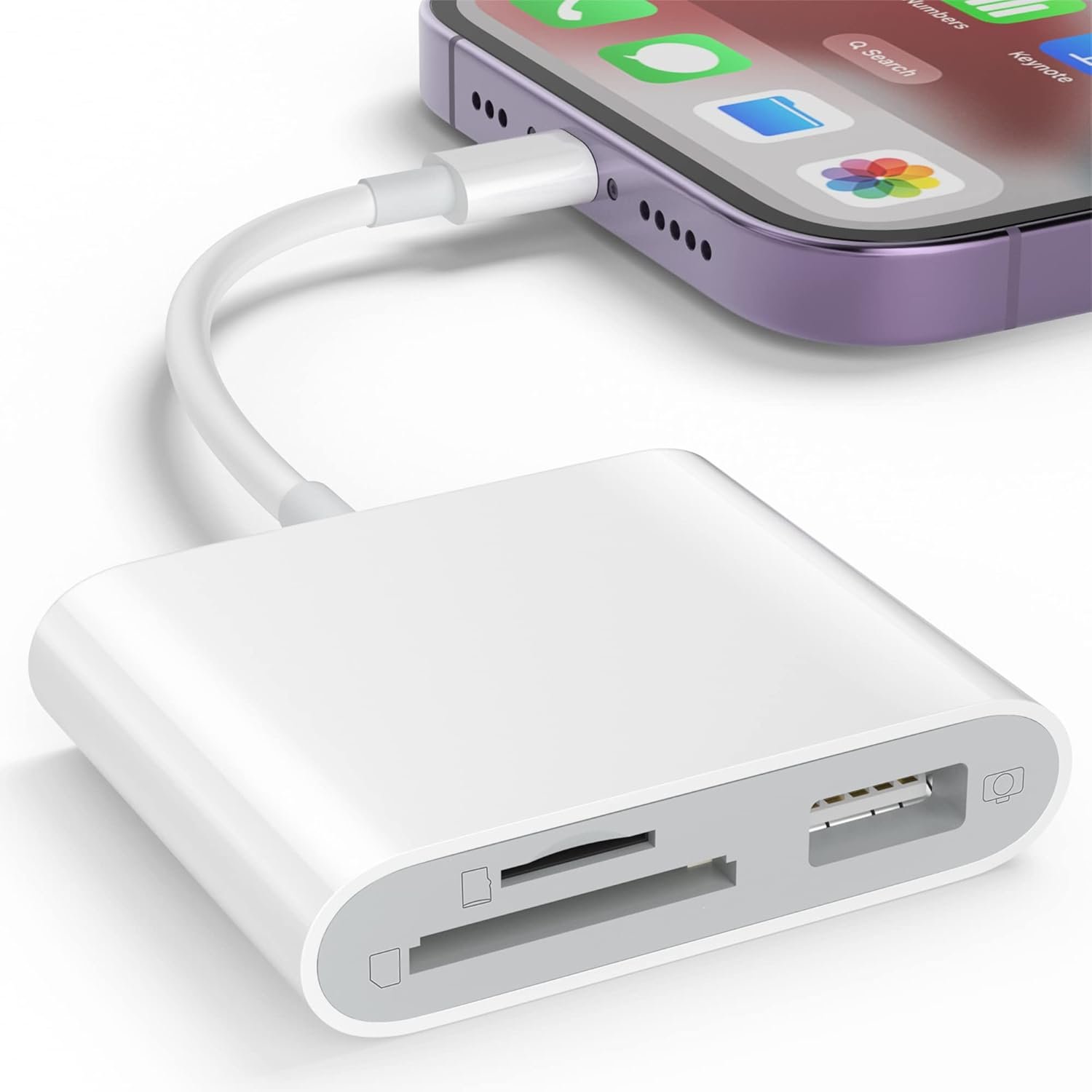
SD Card Reader for iPhone, Memory Card Reader with USB Camera Adapter Plug and Play Trail Game Camera Viewer Supports SD and TF Card MicroSD Card Adapter for iPad No App Required
$6.79
Related Products




Product description
Download photos and videos from camera to your iPhone anytime

Read files from digital camera, Dash Cam or Trail Camera
Having fun with your friends or family in the field and needs to share photos or videos quickly and easily
Using this card reader, you can read SD card or Micro SD card taken by digital camera, Dash Cam or Trail Camera and read the photos or videos soon.
You can share download it and share it with your friends or family.
USB Adapter connets your iPhone with USB flash drive, keyboard, camera cable, etc

Connect your iPhone with lots of the products with the help of this adapter
How to connect your iPhone with your keyboard, USB flash drive, another iPhone/ iPad, digital camera?
USB flash drive
With this adapter, you can read the USB flash drive directly with your iPhone and don’t have to read it through a computer. Open “Files” app and you can read and manage the files in your USB flash drive.
Keyboard or mouse
You can also connect your keyboard or mouse with this adapter and type easily with your keyboard.
Connect with another iPhone/iPad
Besides, if you want to share the photos with another iPhone or iPad, you can use this adapter and connect it with another iPhone/iPad through a iPhone cable.
Digital Camera
You can also connect it with your digital camera through a cable go with the camera and read the photos in your camera directly.
Download photos from Memory Card to iPhone/iPad for User’s iOS between 9.2 to 12.5.7

One-way transfer for iOS user with iOS9.2 to iOS12.5.7
Photos App ( from iOS 9.2 to iOS12.5.7)
Photos app only manage photos and videos, no other data. And it is a one-way transfer which only allows photos from card to your iPhone.
1. Insert a memory card that contains photos or videos into the card reader. Turn on iPhone & iPad and attach the reader to the Lightning port.
2. On iPhone & iPad, select the photos and videos that you want to import. View the photos from Album and share it with your friends or family.
3. “Photo” APP can only can read photos or videos taken by digital camera. It will show nothing if photos or videos were not taken by digital camera. If you want to read other files, or photos and videos were not taken by digital camera, please upgrade your iOS to 13 or later and follow the instruction of next page.
Download photos from Memory Card to iPhone/ iPad for User with iOS 13 or later

Two-way transfer for iOS user with iOS 13.0 or later
Files App ( iOS 13 or later)
Files app is an important app which can transfer files between your memory card to your iPhone & iPad.
Data from your iPhone is “on my iPhone” and data of memory card is on “Untiled” (or “NONAME”, which is the name of your memory card)
You can view data and transfer the data between memory card and iPhone.
Files app not only manager can videos and photos, but also manage music, PDF, word, or Excel, etc.
1. Insert a memory card into the reader. Turn on iPhone & iPad and attach the reader to the Lightning port.
2. On iPhone & iPad, open “Files” app. You can view the files in your memory card. You can view most files like jpg, MP3, word, excel, ppt and so on. If you can view the files but can’t open it, you may need to download a third-party app to read this file.
3. You can delete files or copy and paste files from memory card to your iPhone or iPad. Or coy files from iPhone or iPad to memory card.
4. If you can see the data, but not able to open it, you need to download a third-party App to open it.
What can I do if I see nothing on my iPhone?
1. If you don’t see anything, don’t worry. App won’t pop up automatically, please access “Files” App. Then you will see “On My iPhone” which is the data on your iPhone. If you connect a USB flash drives, or a SD card or a TF card to your iPhone through this adapter, “Untitled” or “NONAME” will be shown below “On My iPhone”. “Untitled” or “NONAME” are the default name of most memory card. If your memory card were named “ABC”, you will see “ABC” there. Just tap “ABC” you will see what’s inside your memory card.
2. When you get inside “ABC” folder, you have three choices at the bottom of the screen. “Recents”, “Shared” and “Browse”, make sure you choose “Browse”. Other two choice is not what’s in your memory card.
3. If there is no “Files” App, please download it from App Store. “Files” is an App in your iPhone, usually you don’t have to download it.
4. If you still see nothing, make sure the memory card is correctly inserted into the slot. You can check the video if you have no idea how to insert a memory card. The memory card must be Fat32 or exFat format. If NTFS, iPhone will not be able to recognize it.
5. You can view most files like jpg, MP3, word, excel, PDF, etc. directly and read them without any problem. However, if you can see some data there but can’t open it, you need to download a third-party app to read this file. It is the same thing as what’s happening in your computer, if you don’t have a MP3 player, even you have a MP3 file in your computer, you click it and it will not able to be played.
6. Make sure your iPhone is between 5 to 14. iPhone 15 and 16 are with another connector and this product cannot connect it.
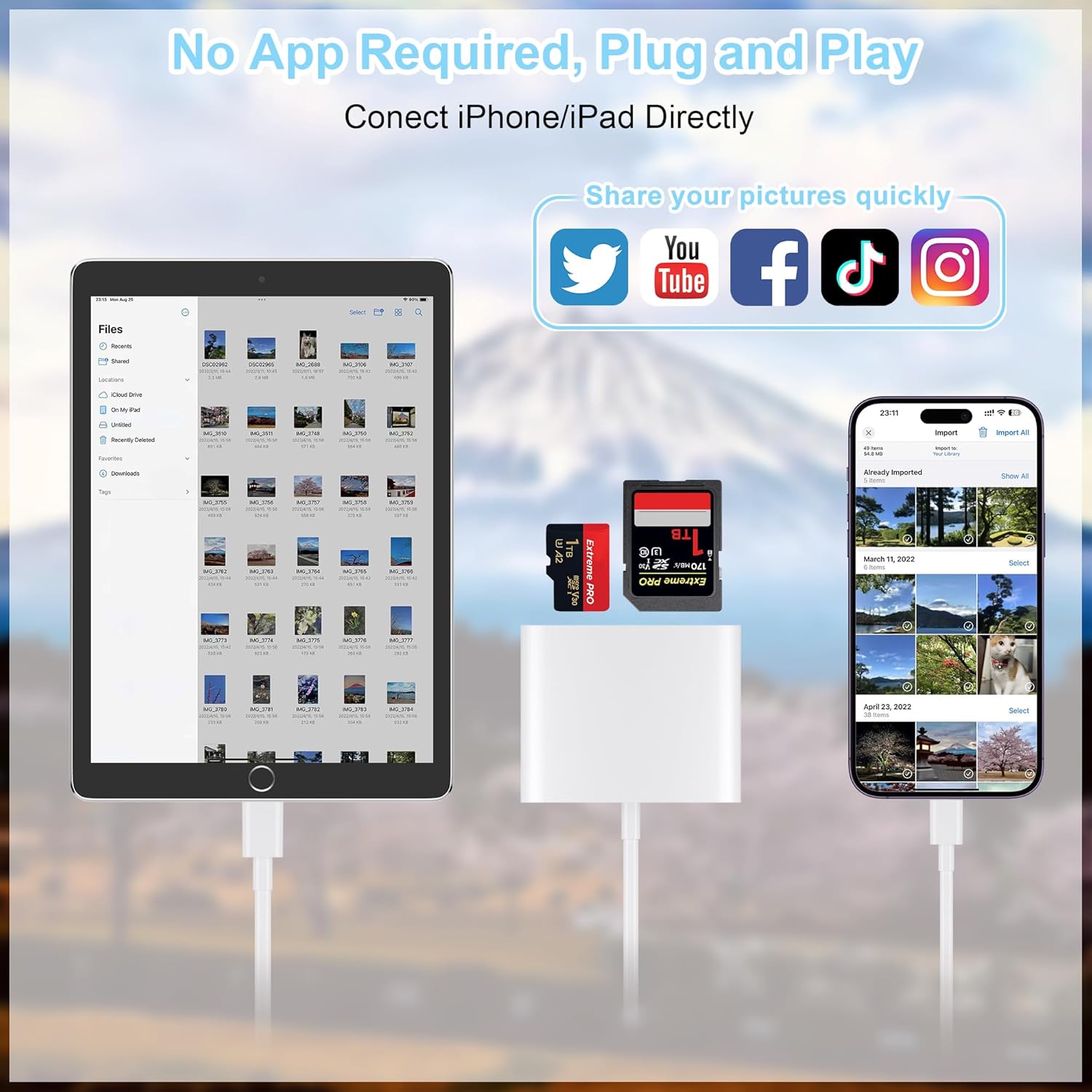
[Tool for photographer]: It is a Photography Accessories for Canon Nikon SLR Digital Camera. No App to be downloaded. 5 seconds after inserting the memory card and connecting with the iPhone, click ‘Photos’ APP and find ‘Import’, then import video and photos from memory card to your iPhone or iPad.
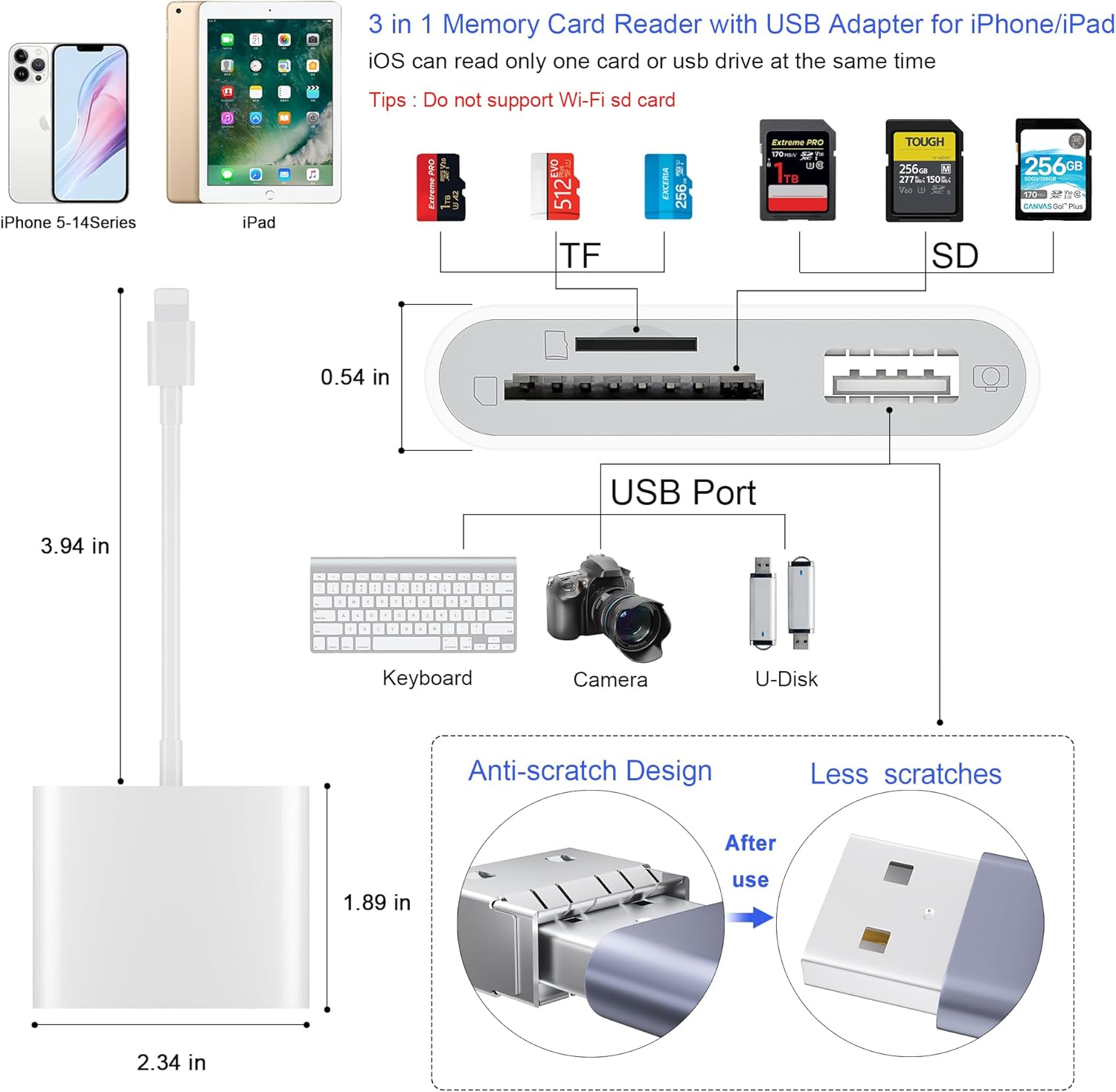
[Accessories for iPhone with Dual Card Slots]: This SZHAIYIJIN Memory Card Reader for iPhone Support SD Card and TF Card, Secure Digital (Standard SD/SDHC) and Micro SD(TF) card. Do NOT Support Wi-Fi SD Memory card.
[The Female USB Interface]: Lightning to USB adapter has the Female USB Interface is a OTG Camera Adapter for iPhone &iPad, supports Digital camera, SLR Camera, The USB camera adapter does not require an application, and there is no need to remove the camera’s memory card. You Can also plug the USB Flash Drive, Card reader, USB Headphone, Electric Guitar, MIDI keyboard, etc. (The maximum current of the peripherals does not exceed 500 mA). Not Support the Printer and Hard disk drive.
[Two-way Transfer]: Two-way transfer suitable for iOS 13 -16 device. Import data from SD/TF card to iPhone/iPad, or export the file from iPhone/iPad to SD/TF card. Include Movies, Music, Word, Power point, Excel, PDF, etc.
[High Speed Data Transfer]: Support fast transfers standard photo formats, including JPEG, RAW, along with SD and HD video formats, including H.264 and MPEG-4. Easily and quickly transfer photos/videos to device and share images/videos of your camera to social media anywhere.
[Universal Compatibility]:The iPhone SD card reader Designed for iPhone between 5 to 14, Not for iPhone 15&16. It Compatible with iPhone 14/14 Plus/14 Pro/14 Pro Max/13/13 mini /13 Pro/ 13 Pro Max / 12/12 mini/12 Pro/12 Pro Max /11/11 Pro/XS/XS Max/XR/ X/8/8 Plus / 7/7 Plus / 6s / 6s Plus / 6/6 Plus / SE /SE2 and iPad Air / Mini / Pro with Lightning Port etc.
13 reviews for SD Card Reader for iPhone, Memory Card Reader with USB Camera Adapter Plug and Play Trail Game Camera Viewer Supports SD and TF Card MicroSD Card Adapter for iPad No App Required
Add a review

$6.79
TraceyBKincaid –
Works perfectly for my phone
This SD card reader is super handy and works exactly as described! I used it to transfer photos and videos directly from my camera’s SD card to my phone, and it was fast, simple, and reliable. No extra app needed — just plug it in, and it starts reading right away.The build quality feels solid, and the connection is stable with no random disconnects. I really like that it also has a USB port for extra flexibility. It’s small enough to carry in my bag, so it’s perfect for travel or quick file transfers on the go.Definitely a must-have accessory if you take photos or work with files from SD cards often!
Mamaju –
Don’t know what I’m doing wrong.
I don’t know whether it’s just me or if I’m doing something wrong but I cannot seem to get the videos off my memory card using this adapter. I need to do some research.
aylablvc –
I love it
This is the best thing ever. Works like a charm. I advise everyone to get this always, it makes transferring pics onto iphone so easy!
Samira Carter –
Worth the money spent
It took some time to upload to my phone but it gets faster the more you use it. High quality. I feel like it is definitely worth my money. Small enough to fit in your pocket. Very easy to use. I would recommend this to someone else!
Roberto Turizo –
Hace lo que ofrece, y lo hace bien
Funciona super bien. Buena velocidad de escritura y lectura, funciona con computadores y celulares por igual. Hay que tener en cuenta que no reconoce 2 tarjetas simultáneamente.
mackenzie boone –
Game changer!
This item was a life saver! Saves so much time transferring photos from a camera to a phone. Works well with my iphone 14
Keren –
A must for camera lovers
I bought this SD card reader for my iPhone almost a year ago, and it was worth it! I am constantly downloading photos from my digital camera, and I love the quality of the images I download. The size is perfect, not too small or big. It is definitely worth your money!
Sebastian –
Pretty solid
It definitely does its job, sometimes it takes a second to register, or I have to disconnect it and reconnect. It works just fine for my iPhone 13, and im sure any other lighting adapter cables would work just as well. Wasn’t too expensive and does its job as advertised.
Thais gabriela –
Bom
Shameem Ziya –
I bought the same product from another companies but everytime found the item defective and doesnt work properly or some of their features are working and some of them are not.but his one is perfect.
Amazon Customer –
May just have a faulty one but the device isn’t recognisable on any iphone i’ve tried in either camera roll or files.
rowszee –
Works great. Was very pleased with the card reader and the price was really good!
Petra Aurora García andrade –
Lo compré para un viaje y muy buena opción para pasar fotos de mi cámara tomas mas prifecionesles a mi cel